

Quick answer
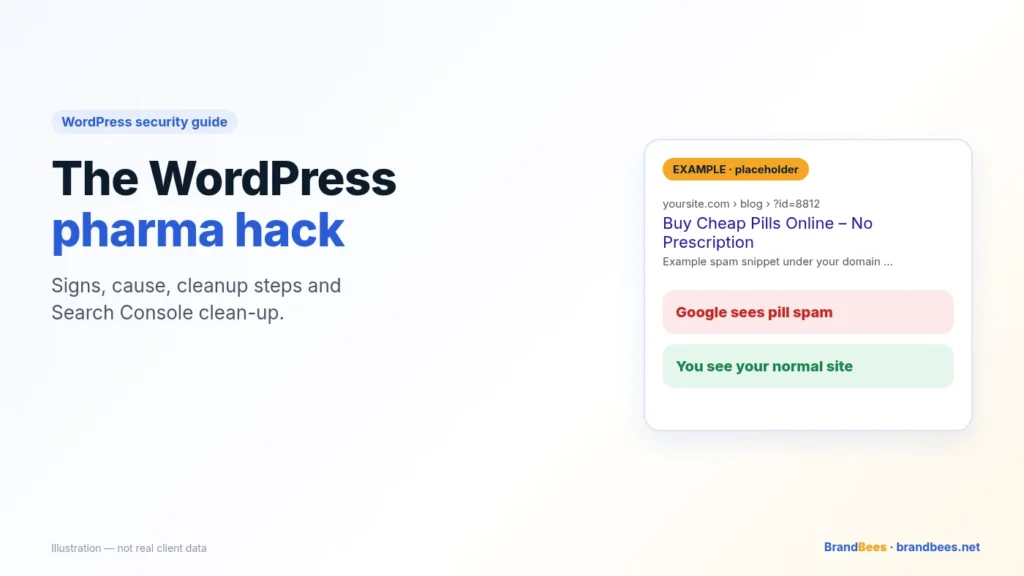
If Google shows pill, viagra or online pharmacy titles for your pages, but the site looks normal to you, your WordPress site most likely has the pharma hack. Hidden code shows spam to Google and hides it from you.
The fix is a full cleanup of files and the database, removing the cloaking code and backdoors, then cleaning up in Search Console so Google recrawls clean pages.
The pharma hack is one of the oldest forms of WordPress SEO spam, and it is still common. It is also one of the hardest to spot from your own desk.
Your home page loads fine. Your posts look fine. Meanwhile Google lists your pages with titles about cheap pills.
We have been cleaning hacked WordPress sites since 2011, from Pakistan, for owners in the US, UK, EU and Australia. This guide explains how the hack works, the checks we run first, and how to get Google to trust your pages again.
Signs you have the pharma hack
You will rarely see this one in the dashboard. Look for these signs instead:
- Pharma titles in Google. Your real pages show titles or snippets about pills, “no prescription” or online pharmacies.
- Odd search queries. Search Console’s Performance report shows drug-related queries you never targeted.
- Redirects from Google only. Visitors who click your result land on a pharmacy store, but typing your address works fine.
- Hidden links. Your page source contains blocks of pharmacy links you can’t see on screen.
- A hacked label or warning. “This site may be hacked” under your result, or a Security issues message in Search Console.
- Unknown pages, sitemaps or owners. Indexed pages, sitemaps or verified owners in Search Console that you don’t recognise.
Tip
Ask a colleague to search for your site on their phone, on mobile data, and click the result. Many pharma redirects only fire for first-time visitors coming from Google.
What causes it, in plain English
Someone got into your site. The usual ways in are an outdated plugin or theme, a reused or weak password, or a “nulled” (pirated) premium theme.
Once inside, they add a small piece of code that checks who is asking for each page. That is called cloaking.
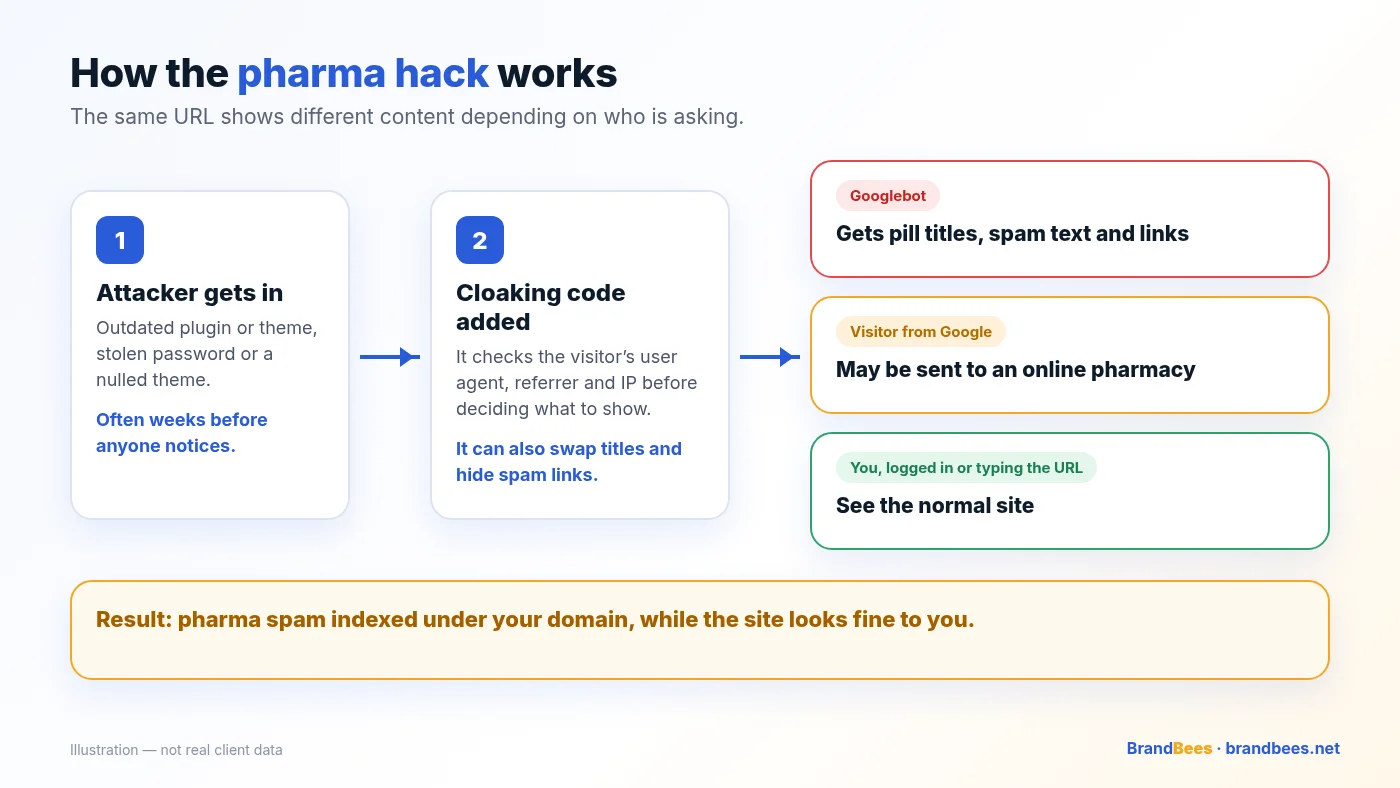
If the visitor is Googlebot, the code swaps in pharmacy titles, text and links. If the visitor came from a Google search, it may redirect them to a pill store. Everyone else, including you, sees the real site.
The attacker’s goal is your domain’s trust. Pharmacy spam is hard to rank on its own, so they borrow sites that Google already trusts.
What it looks like in Google and the browser
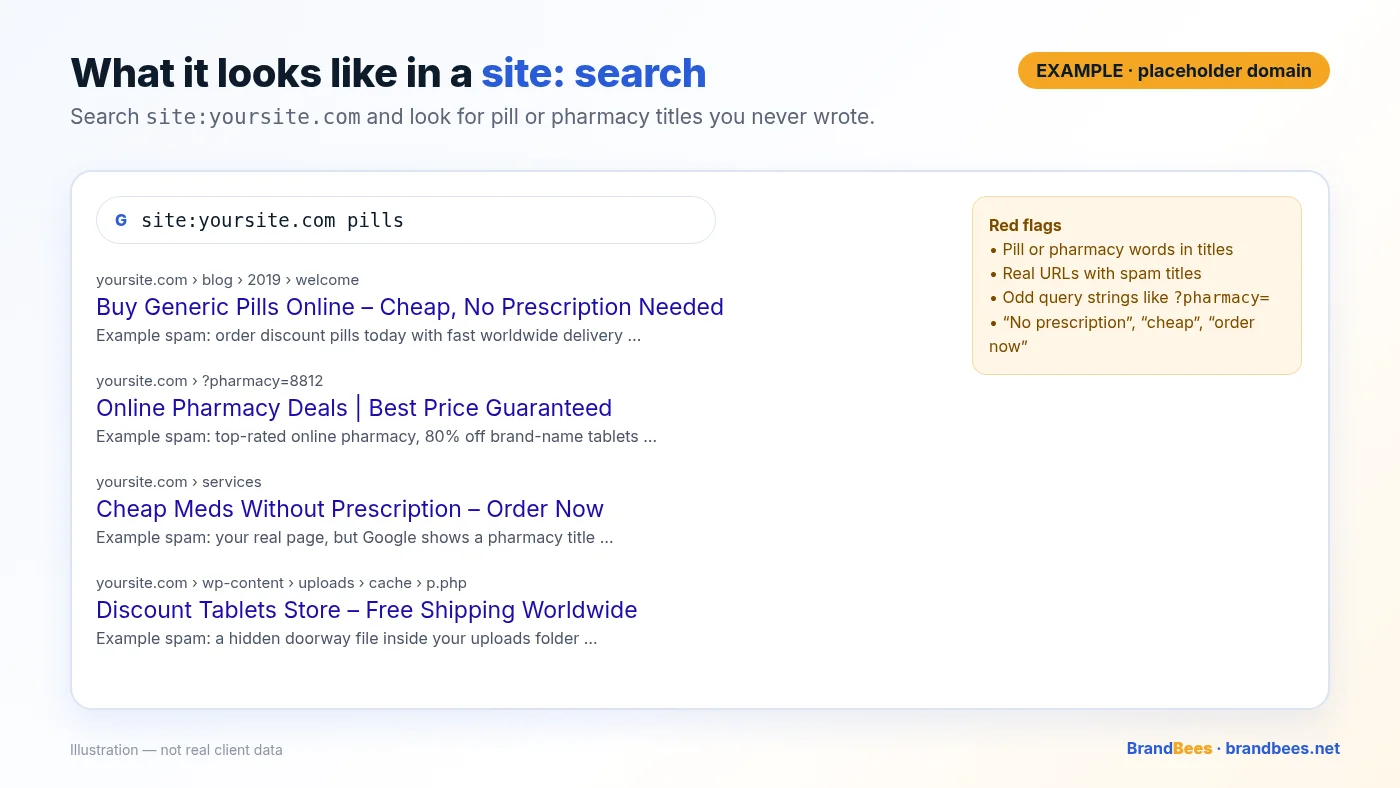
The quickest test is a site: search. Type site:yourdomain.com into Google, then try it again with words such as pills, pharmacy or viagra added.
In Google results
- Titles about pills or pharmacies on pages you wrote about something else.
- Snippets promising discounts, “no prescription” or worldwide shipping.
- URLs with odd query strings or folders you never created.
In the browser
- The page looks normal when you type the address or are logged in.
- The same page redirects when opened from a Google result, often only once per visitor.
- View source shows a block of links pushed off-screen or hidden with CSS.
These are examples only, written to show the pattern. They are not from a real client site.
<!-- EXAMPLE ONLY: hidden pharma link block found in page source -->
<div style="position:absolute;left:-9999px">
  <a href="https://example-pharmacy.test/">buy cheap pills online</a>
  <a href="https://example-pharmacy.test/deals">no prescription pharmacy</a>
</div>
Warning
Don’t click the spam links on a work machine, and don’t enter details on any pharmacy page you land on. Treat them as hostile.
Safe checks you can run
These checks only read. They don’t change anything on your site. Even so, take a full backup first and run them with your host’s help if the command line is new to you.
Compare what Googlebot sees
Fetch your home page as Googlebot and as a normal visitor from Google, then look for pharmacy words. Some attackers verify the real Googlebot by IP, so a clean result here is not proof. Search Console’s URL Inspection is the final word.
# Read-only: fetch as Googlebot and look for pharma words
curl -s -A "Mozilla/5.0 (compatible; Googlebot/2.1; +http://www.google.com/bot.html)" \
  https://yoursite.com/ | grep -ioE "viagra|cialis|pharmacy|pills" | sort | uniq -c

# Read-only: does a visitor from Google get redirected?
curl -sI -e "https://www.google.com/" https://yoursite.com/ | grep -iE "^(HTTP|location)"
Search files and the database
# Read-only: run from the WordPress root
grep -rliE "viagra|cialis|levitra|pharmacy" wp-content --include=*.php
find wp-content/uploads -name "*.php"
wp core verify-checksums
wp plugin verify-checksums --all
wp user list --role=administrator --fields=ID,user_login,user_registered
wp db query "SELECT option_name FROM wp_options WHERE option_value LIKE '%viagra%' OR option_value LIKE '%pharmacy%'"
Tip
A match is a lead, not a verdict. Plenty of legitimate plugins use base64_decode(), and a pharmacy client site will mention pills. Note what you find before deleting anything.
Where the pharma code hides
The spam text is only the symptom. The code that serves it, and the way back in, live somewhere on the server.

- Theme files such as
functions.phporheader.phpthat swap titles for Googlebot. - Injected lines in
index.phporwp-config.php, often usingeval(),gzinflate()orbase64_decode(). .htaccessrules that redirect visitors arriving from search engines.- Encoded payloads in
wp_options, or hidden links inside old rows inwp_posts. - PHP files inside
wp-content/uploads/, or plugins you never installed. - Rogue admin users and unknown Search Console owners.
Cleanup steps, in order
Order matters. Cleaning up in Google before the site is clean lets the spam straight back in.
Back up and record
Copy files and database. Save what Google and Googlebot see today.
Find the entry point
Check outdated plugins and themes, users and recently changed files.
Remove the cloaking code
Clean theme files, core and root files, .htaccess and uploads.
Clean the database
Remove hidden links from posts and spam payloads from options.
Reinstall clean copies
Core, themes and plugins from trusted sources only.
Reset access
New passwords, fresh salts and keys, rogue admins removed.
Clean up Search Console
Owners, sitemaps, URL Inspection and a review request.
Monitor
Watch files, users and site: results over the next weeks.

Search Console cleanup
Once the site is clean, help Google catch up. Do these in Google Search Console, in this order.
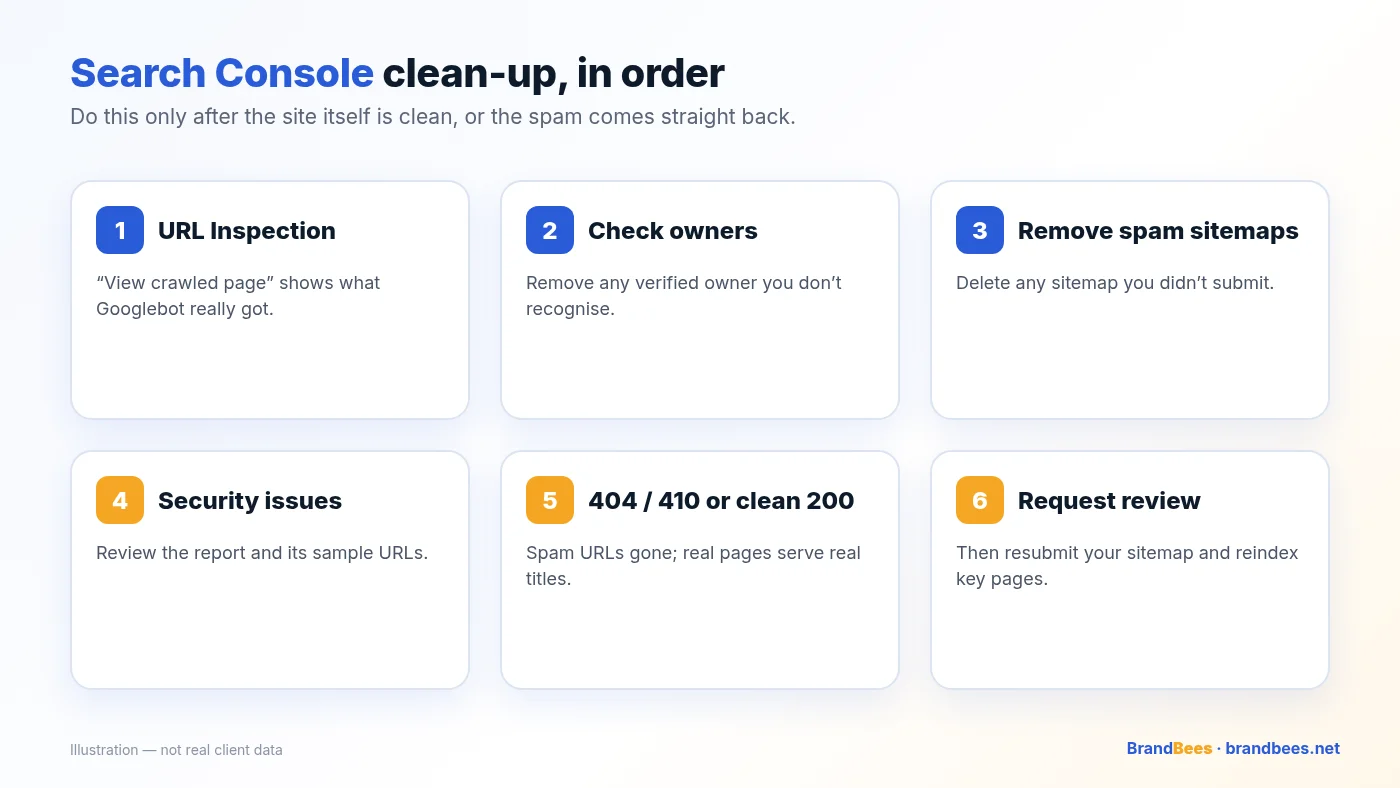
- Inspect a spam URL. Use URL Inspection, run a live test and open “View crawled page”. The HTML and title should match what you see.
- Check owners. Settings → Users and permissions. Remove any verified owner you don’t recognise.
- Remove spam sitemaps. In the Sitemaps report, delete anything you didn’t submit.
- Check Security issues. Note the sample URLs and confirm each now shows clean content.
- Make spam URLs return 404 or 410. Real pages should return 200 with their real titles; spam-only URLs should be gone.
- Request a review, then reindex. Request a review if Security issues lists the hack, resubmit your sitemap and request indexing for key pages.
Warning
Requesting a review while cloaking code is still live can get the review rejected, and the next one takes longer. Confirm with URL Inspection first.
After cleanup, a technical SEO audit service helps confirm the spam is gone and your real pages are indexed with their real titles.
Risks of fixing it yourself
If you know your server, you can do a lot of this. The risk is a cleanup that looks finished but isn’t.
- Cloaking left behind. You see a clean site, Google still sees pills, and you lose weeks.
- Backdoor left behind. The attacker walks back in within days and adds the code again.
- Breaking the site. Blind edits to theme files,
.htaccessor the database can take it offline. - Wrong order. A review requested too early, or new passwords set before the backdoor is gone.

Get it fixed: fixed prices
If you’d rather hand it over, our WordPress malware removal service covers the site cleanup and the Search Console steps. Every plan is cleaned within 24 hours of receiving working access.
- Basic — $149. Malware and backdoor removal with basic hardening. 30-day reinfection warranty.
- Full Recovery — $249. Deep cleanup plus Google review. 60-day reinfection warranty.
- Emergency — $349. Work starts within 4 hours of access. 60-day reinfection warranty.
Pill spam in your Google results?
Fixed-price malware cleanup from $149. Emergency fixes from $149. Not sure it’s the pharma hack? Start with a free malware check.
Related reading
- Japanese keyword hack: signs, cause and how to fix it
- WordPress site redirecting to spam? Signs, causes and the fix
- How to recover SEO rankings after a hacked website
- How to remove malware from WordPress without losing SEO
- How much does WordPress malware removal cost?
- Free WordPress security scanner: check your site in a minute
Frequently asked questions
What is the WordPress pharma hack?
It is a type of SEO spam. Attackers break into a WordPress site and make Google show pill and online pharmacy content under your domain, so their spam ranks on your site’s reputation.
Why does Google show viagra or pill titles for my site when my pages look normal?
The malware uses cloaking. It serves the spam titles and text to Googlebot, and often to visitors arriving from Google, while showing you the normal site when you type the address or are logged in.
How do I check if my site has the pharma hack?
Search Google for site:yourdomain.com with words like pills or pharmacy, and look for titles you never wrote. Then open URL Inspection in Search Console and use View crawled page to see what Googlebot actually received.
Is the pharma hack the same as the Japanese keyword hack?
They are close relatives. Both are SEO spam that borrow your domain’s trust. The pharma hack usually pushes pill and pharmacy keywords, often by changing your real pages for Googlebot, while the Japanese keyword hack usually generates new spam pages.
Can a security plugin remove the pharma hack?
Sometimes it finds part of it. Pharma code is often hidden in theme files, encoded database options or fake plugins that scanners miss, so a manual check of files and the database is the safer route.
Will deleting the spam text from my posts fix it?
Not on its own. Hidden links in posts are often re-added by code elsewhere on the server. The code that serves the spam, and the backdoor that let it in, both have to go.
Does the pharma hack hurt my Google rankings?
Yes. Spam titles reduce clicks, your real pages lose relevance for their own keywords, and Google may label the site as hacked or flag it in Search Console until it is cleaned and reviewed.
How long until the pharma spam disappears from Google?
Once the site is clean, Google replaces the spam titles as it recrawls each page. That often takes a few weeks. Requesting indexing for key pages and a review in Search Console can speed it up.
Do I need to do anything in Search Console after the cleanup?
Yes. Remove unknown owners and sitemaps, check the Security issues report, confirm with URL Inspection that Googlebot now sees clean pages, then request a review if Google flagged the site.
How much does it cost to remove the WordPress pharma hack?
BrandBees charges $149 for a Basic cleanup with a 30-day reinfection warranty, $249 for Full Recovery and $349 for Emergency, both with a 60-day reinfection warranty. Every plan is cleaned within 24 hours of receiving access.
Want the pharma spam gone this week?
WordPress experts since 2011. Cleanup from $149, cleaned within 24 hours of access, with a 60-day reinfection warranty on $249 and $349 plans.
Free PDF
WordPress Security Checklist
The same checks we run on client sites, written in plain English. Work through it in an afternoon.
- Logins, updates, backups and hosting, step by step
- A 10-minute self-test you can run today
- What to do if you think you’ve been hacked
